Information to Save Before Closing an Online Wallet or Payment Account
Closing an online wallet or payment account involves more than uninstalling its app. The account may still contain a balance, pending transfers, automatic payment agreements, receipts, open disputes, or records needed for accounting and tax purposes.
The exact closure process varies by provider and country. PayPal, for example, requires users to remove their balance and may prevent closure while the account has a pending transaction, open dispute, negative balance, hold, or limitation. Wise provides a separate closure process through its account settings.
Before submitting a closure request, save the records you may need, resolve unfinished activity, and confirm how refunds or future claims will be handled.
Essential Information and Data You Must Save Immediately
Do not assume that normal account access will remain available after closure. Some providers may retain records for legal or regulatory reasons, but that does not mean former users can continue downloading them through the app.
Statements and Transaction History
Download the most complete transaction history available. Keep both a readable format, such as PDF, and a structured format, such as CSV or XLSX, when offered.
Action Items: Open the History, Activity, or Statements section. Export records for each currency balance, wallet, or business profile connected to the account. Wise currently supports statement downloads in formats including PDF, XLSX, CSV, MT940, QIF, and CAMT.053. PayPal also provides downloadable statements and activity reports.
Data to Retain: Preserve transaction dates, amounts, currencies, fees, transaction IDs, merchant or recipient names, funding methods, and status information. Where possible, also save the account’s fee statement and proof-of-account-ownership document.
Recommended Timeframe: There is no universal one-to-three-year retention period. Tax, accounting, employment, and business-record rules differ by jurisdiction. For a personal account, saving the entire available history is usually simpler than trying to predict which transaction will matter later. Business users should follow local legal requirements and advice from their accountant or tax professional.
Invoices and Service Receipts
Save receipts connected to significant purchases, travel bookings, business expenses, warranties, reimbursements, or ongoing disputes.
Why Save Them: A transaction statement may prove that money moved, but it may not identify the product purchased, booking conditions, tax amount, or warranty terms. A merchant invoice or detailed receipt can provide that missing context.
Action Items: Download original receipts where available rather than relying only on screenshots. Organize them by year or merchant and retain associated order numbers, booking references, refund policies, and correspondence.
Do not limit the review to the previous 12 months when an older purchase is still under warranty, involved in a payment plan, or relevant to a tax or commercial record.
Account Identity Verification Information and Customer IDs
Save enough information to help the provider locate the former account if you need assistance later.
Data to Retain: Record the customer ID, account number, merchant ID, registered email address, registered phone number, legal account name, and closure-request reference.
Purpose: These identifiers can help support staff distinguish the closed account from another profile with a similar name or email address.
Avoid storing unnecessary copies of passports, national identity cards, or complete card numbers in an unencrypted folder. The provider may already retain some identity information to satisfy legal obligations, and a right to erasure does not necessarily require deletion of every record that must be kept by law. Under the GDPR, access, erasure, and portability are separate rights and are subject to applicable conditions.
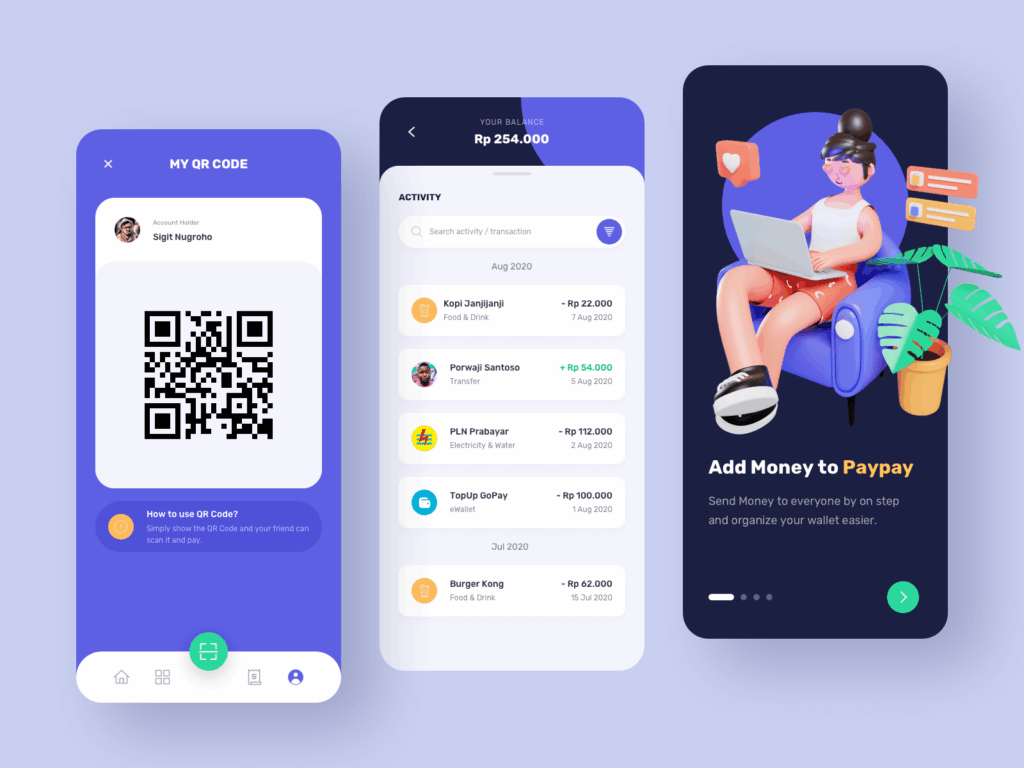
4 Urgent Actions to Take with Funds and Linked Cards Before Deleting Your Account
Resolve money movement and third-party payment arrangements before starting the closure process.
[Check Balance] ————> Withdraw or transfer available funds
[Subscriptions] ———–> Cancel or update recurring payments
[Linked Cards] ————> Review and remove eligible payment methods
[Device Security] ———> End sessions and review linked sign-in accounts
Transfer All Remaining Balance Safely to Your Bank
Many providers require the available balance to be withdrawn or transferred before closure. PayPal’s current US agreement requires funds in a linked Balance Account or business account to be moved before the related account can be closed.
Execute Withdrawal: Transfer the balance to a verified bank account or another supported destination. Save the transfer confirmation and wait until the receiving institution shows the funds as settled.
Handling Small Change/Rewards: Check the provider’s rules before donating, spending, or converting a small balance. Rewards, vouchers, gift cards, and cashback may follow separate terms and may not be transferable.
Check Pending Transactions: Wait for incoming transfers, withdrawals, authorizations, chargebacks, and expected refunds to reach a final status. PayPal may block closure when a transaction, claim, or dispute remains open.
Disable All Monthly Auto-Renewal Services (Subscriptions)
Closing a wallet does not necessarily terminate the contract between you and a merchant.
The Risk: The merchant may continue billing under its subscription agreement. A failed payment can lead to service suspension, collection attempts, or charges allowed by the merchant’s terms. It does not automatically create a bank NSF fee; that depends on the funding method and the financial institution.
Action Items: Review the wallet’s automatic-payment section, then sign in to each merchant separately. Cancel the subscription or replace the payment method. PayPal allows users to review merchants, cancel automatic payments, and change backup payment methods from the Payments settings. The FTC also recommends keeping a copy of the cancellation request and monitoring later statements for additional charges.
Unlink ATM Cards, Credit Cards, and Bank Accounts
Remove linked payment methods when the provider permits it and when they are no longer required for pending transactions.
Action Items: Open the wallet or payment-method section and remove each eligible card or bank connection. Some providers may temporarily prevent removal when a transaction is pending or a card was recently used as a backup funding source.
Benefit: Removing a payment method stops it from remaining selectable for future payments through that account.
It does not guarantee that every historical reference to the card or bank account is erased from the provider’s records. Payment companies may retain transaction and compliance records after closure when required by law, fraud-prevention rules, dispute procedures, or contractual obligations.
Log Out of Secondary Devices and Unlink Social Media Accounts
Review active sessions on phones, tablets, computers, and browsers. End sessions on devices you no longer use before closing the account.
If the wallet was created through Google, Facebook, or Sign in with Apple, first confirm that you have another way to identify the account during closure. Then remove the connection from the identity provider when it is no longer needed.
Google allows users to review and remove links or third-party access associated with their Google Account. Apple also allows users to view apps using Sign in with Apple and stop using that sign-in method for a selected app or website.
Disconnecting social sign-in does not itself close the payment account. Complete the provider’s formal closure procedure separately.
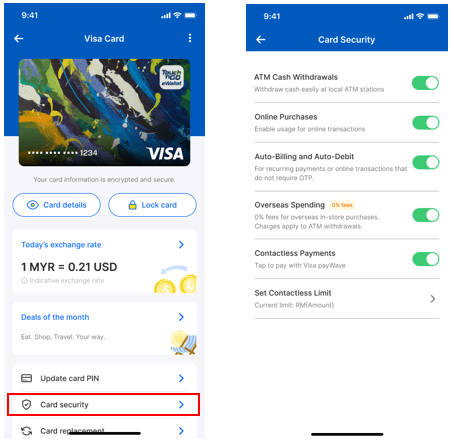
Step-by-Step Guide to Data Backup and Safe Account Closure
After preserving records and resolving financial activity, follow the provider’s current closure instructions.
Request Data Export from Your Service Provider
Check whether the provider offers an activity export, privacy download, or formal personal-data request.
How to Execute: Look under Privacy, Data, Statements, Reports, or Account Settings. The available archive may include information beyond ordinary transaction statements, such as profile details, communication preferences, or account activity.
Do not assume that every provider will compile a ZIP file within 24 to 48 hours. Wise may make smaller statement exports available immediately or email a download link for larger exports. Under the GDPR, organizations generally must respond to formal data-rights requests without undue delay and, in principle, within one month.
Request the export before closing the account because identity verification may become more difficult afterward.
Check for Open Disputes or Pending Complaints
Review chargebacks, buyer or seller claims, unauthorized-payment reports, support tickets, verification requests, holds, and negative balances.
Resolution: Do not close the account until you understand how each issue will continue. Some providers block closure during an open claim or investigation. Closing an account also may not eliminate existing obligations; PayPal states that users remain liable for account-related obligations after closure.
An open dispute does not automatically damage your credit history. Credit reporting depends on the type of debt, provider, jurisdiction, and whether an unpaid obligation is reported or sent for collection.
Execute the Standard Account Closure Procedure
App/Web Execution: Use the provider’s official app or type its verified website address directly. Open Account Settings and select the available Close Account or Delete Account function.
Provide Reason & Authenticate: Follow the security steps shown by the provider. Confirmation may involve a password, app approval, email link, biometric check, or one-time code. It is not always performed through SMS.
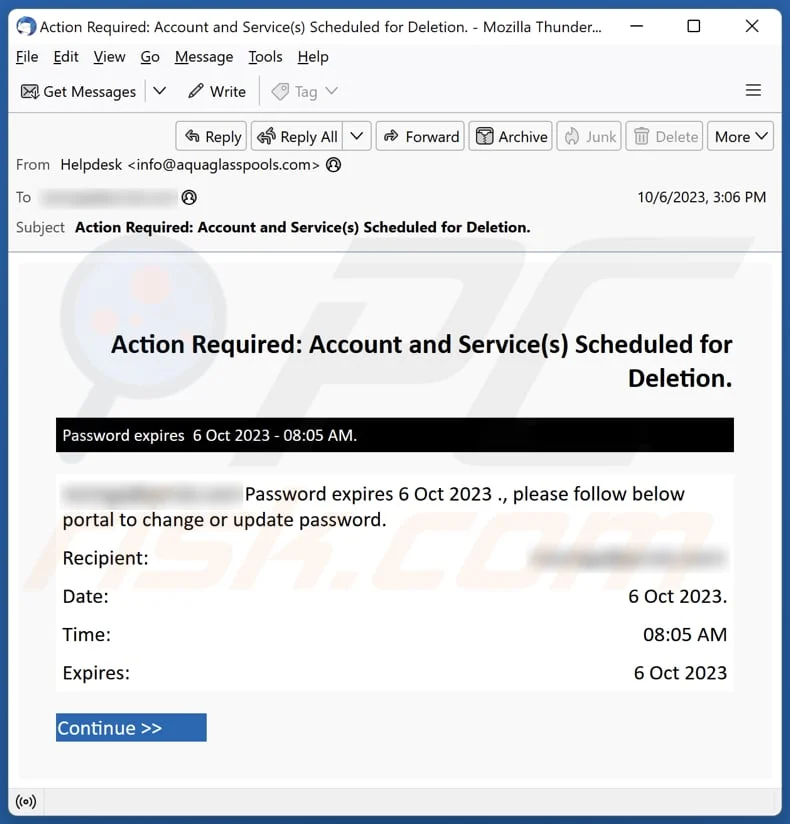
Contact Support (If Required): If no closure button is available, contact the provider through its official support channel. Do not follow account-deletion links sent by unsolicited messages.
Closure consequences vary. PayPal states that a voluntarily closed account cannot be reopened, while Wise currently allows some user-closed personal accounts to be reactivated.
Save Confirmation Email/Message of Successful Closure
Save any confirmation page, email, support ticket, reference number, or final statement showing the closure date.
Mandatory Action: Store the confirmation with the exported statements and receipts. If no email arrives, take a screenshot of the final confirmation screen and retain the support conversation.
This evidence is useful, but it does not prove that every contractual obligation, chargeback, refund, or legally required data-retention period has ended. Review the provider’s closure notice and terms for any continuing responsibilities.
Common Risks of Closing an Account Too Hastily
Forfeited Cashback and Refunds
Unused rewards may expire or become unavailable when the account closes. A later merchant refund may still be sent to the original payment route, but handling varies by provider and funding source.
PayPal generally attempts to return online-purchase refunds to the original payment method and describes alternative handling when that is not possible. Closing the wallet before an expected refund can therefore make follow-up more complicated.
Incurring Non-Sufficient Funds (NSF) / Return Fees
Closing a wallet does not automatically cause an NSF or returned-payment fee at the linked bank. Such fees depend on whether a merchant can still initiate a debit, which payment source is charged, the account balance, and the bank’s terms.
The practical risk is that an uncancelled subscription remains active while its payment fails. Cancel the merchant agreement and retain evidence instead of relying on wallet closure alone.
Tax Audit & Compliance Difficulties
Statements may be needed to support income, expenses, refunds, currency conversions, or business payments. The required retention period depends on local tax and accounting law.
Save the entire relevant record set before closure and keep it for the period required in your jurisdiction. A screenshot of the transaction list may not be sufficient when an authority or accountant requires an official statement or receipt.
Blacklisting and Re-Registration Blocks
There is no general rule that closing an account with an unresolved issue causes permanent industry-wide blacklisting.
A provider may refuse closure while the account has a negative balance, restriction, dispute, or compliance review. It may also restrict later accounts when its terms prohibit duplicate profiles or when previous activity violated its rules. These outcomes are provider-specific and should not be presented as an automatic permanent ban.
Before closing an online wallet or payment account, save statements, receipts, transaction references, account identifiers, and any evidence connected to disputes or expected refunds. Move available funds, wait for pending transactions, cancel recurring services with the merchants themselves, and review linked payment methods and active sessions.
Do not rely on a universal ten-minute checklist. A simple personal wallet may be ready to close quickly, while a business account with refunds, tax records, subscriptions, or open disputes requires a more detailed review. Complete the provider’s official closure process only after confirming that you have retained the records and access information needed to handle any later question.